— For parents & teachers
The Grown-ups' Guide.
Everything SehgArt does, and how it keeps a child's creativity calm, private and ad-free.
01 What SehgArt is
A family-first drawing coach.
SehgArt teaches real drawing confidence — from tracing a first line to inventing an original picture — with gentle, never-competitive encouragement from Sandy, the friendly in-app guide. Every drawing is original, inspired-by work.
Why it's different: everything runs on the device. No accounts, no ads, no cloud, and no data leaves the phone or tablet — a genuinely private, safe space for a child to make art.
02 The four tabs
Everything lives under four tabs.
Draw
The home hub — start a drawing, continue a recent one, or do the daily challenge.
Discover
Browse the picture library and search by name, voice or category.
Profile
Each child's progress, awards, streaks and saved artwork.
Lab
The Creative Lab — twelve playful ways to make art.
03 Getting started
Draw, discover, trace.
Draw — start a picture
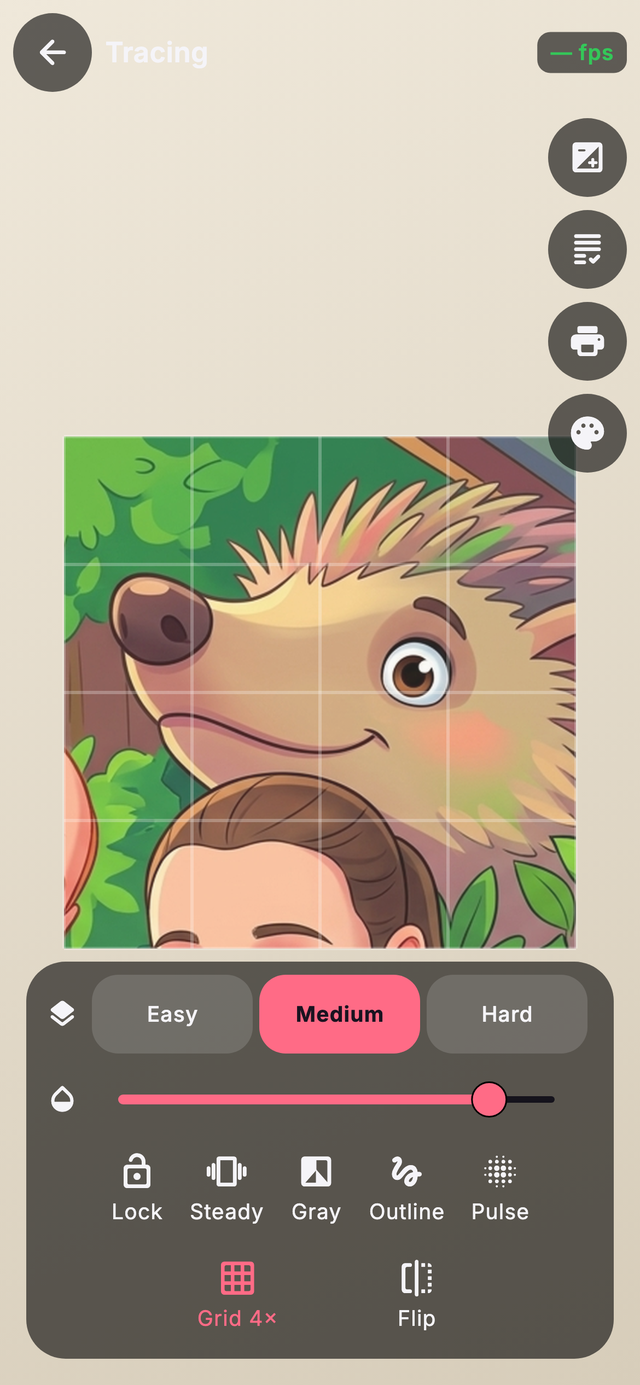
Tap New Drawing to choose something to trace: import a photo, take one with the camera (both become clean line-art on the device), or browse the template library. Recent and starred drawings wait under Continue, and a fresh daily challenge keeps the streak going.
Discover — find a picture
A big library of original templates — animals, vehicles, food, people and more — plus 286 guided step-by-step lessons. Search by text or voice, filter with category chips, and sort by Featured, A–Z or Difficulty.
Original Edition: a Settings toggle that keeps the library to SehgArt's own original drawings — handy for the youngest artists or a cleaner set.
Tracing & AR — onto real paper
Hold the phone over paper and the chosen picture appears on the camera view. Steady gyro-stabilises it and Lock freezes it so you can prop the phone and trace calmly. For a rock-steady lock that follows the paper, print the SehgArt tracing mat and turn on Mat lock.
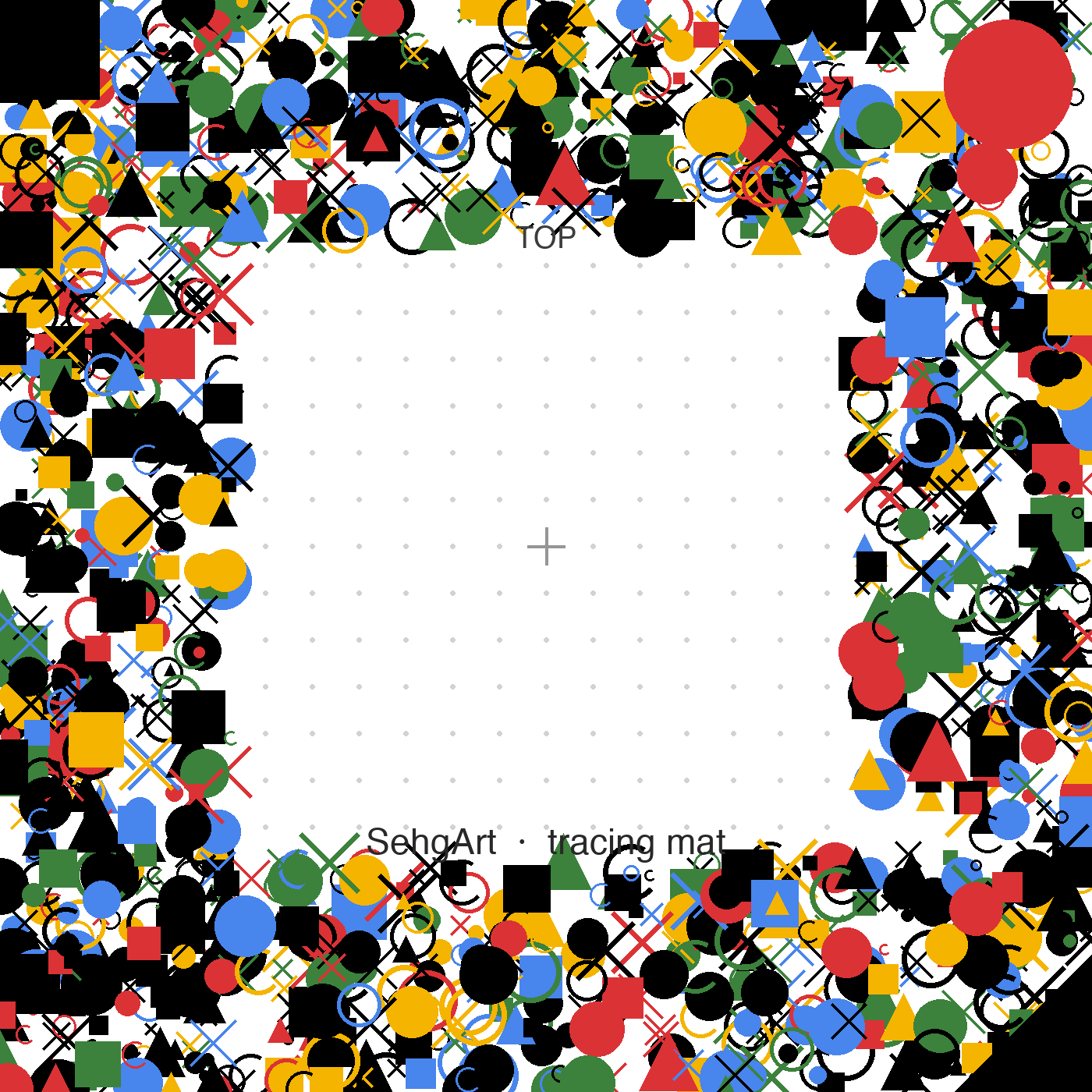
Print the mat at 100% (Actual size) — never 'fit to page', or the scale will be off. The Print-mat button in AR makes an 18 cm sheet for you.
04 The Creative Lab
Twelve playful ways to make art.
Gathered under the Lab tab. Confidence Path is the spine — tiny brave steps from imitation to original art.
Kaleidoscope Doodle
Every stroke mirrors into a symmetric pattern (mirror / 4 / 6 / 8-way).
Finish The Picture
A starter squiggle and a prompt; the child turns it into anything.
Trace Race
A gentle 30-second tracing game with stars — effort earns points, so no losing.
Sandy Daily Prompt
One small, friendly drawing idea a day.
Before / After Replay
A slider that replays a drawing: photo → outline → trace → finished art.
Drawing Coach
Kind on-device feedback on curves, corners and pace → one next tip.
Printable Art Packs
Print starter sheets and the tracing mat to bring drawing back to paper.
Family Gallery
A private, local gallery of each child and their finished art.
Magic Colour Reveal
Tap colours to 'reveal' a picture, then colour it in for real.
Paper Setup Wizard
A calm checklist — light, height, mat — before AR tracing.
AR Sticker Mode
Plan where guide stickers sit on the paper before opening AR.
Confidence Path
The flagship path from copying to creating — the spine of the teaching.
05 Profiles, PIN & progress
Made for the whole family.
Multiple children
Each child gets their own profile — name, avatar, separate progress and artwork. Tap the avatar to switch, add or remove a child (removal is PIN-gated and cleans up that child's data).
Grown-up lock (PIN)
Set a 4-digit PIN in Settings to gate the parent area so children can't change things. Repeated wrong tries lock out for an escalating delay that survives a force-quit.
Skill Report
Self-checks build a gentle Skill Report — averages and personal bests, never harsh grades. Streaks, XP, levels, awards and printable certificates celebrate practice.
Printing
Bring screen time back to paper: print colouring pages from any template or a finished piece, the tracing mat (at 100%), and starter Art Packs from the Lab.
06 Privacy & safety
Private by design.
The camera is used only for live tracing; photos are processed on-device. No internet is needed to draw, trace, play or save.
- No ads
- Not one. Nothing to tap by accident, nothing to sell to.
- No tracking
- No analytics on your child, no profiles, no third-party SDKs.
- Works offline
- Aeroplane mode is fine. The whole studio runs on the tablet.
- No accounts
- No sign-up, no email, no login for kids to remember.
- Nothing leaves the device
- Drawings and progress stay in an encrypted local database.
- Parent PIN
- A grown-up PIN gates the settings kids shouldn't wander into.
Languages: fully translated into 8 — English, Spanish, French, German, Italian, Portuguese, Simplified Chinese and Japanese.
07 Tips & troubleshooting
Quick fixes.
AR won't hold?
Print the mat and turn on Mat lock; good light helps. Or use Lock in the classic overlay and prop the phone.
Prints look the wrong size?
Always print at 100% / Actual size — never 'fit to page'.
Tracing on a foldable?
Both the folded cover screen and the unfolded inner screen work.
Youngest child?
Turn on Original Edition and start in the Lab's Kaleidoscope or Magic Colour Reveal for an easy first win.
Not on the app stores yet.
Leave a grown-up's email and we'll send one note the day SehgArt arrives — nothing else.
Join the waitlist →